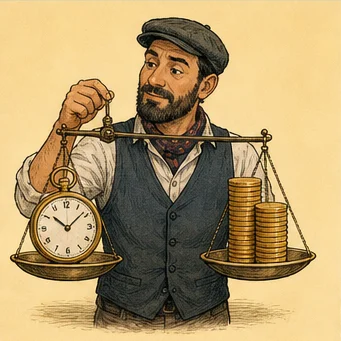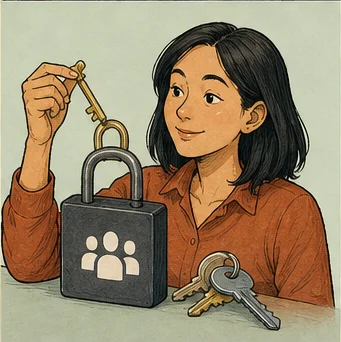
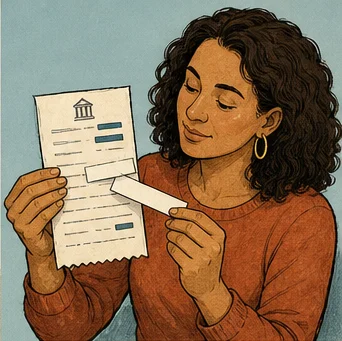
Account security is the absolute foundation of your relationship with any proprietary trading firm. When you consider bringing in an outside party to view, advise on, or interact with your trading environment, you invite significant risks. A seemingly profitable arrangement never justifies poor credential management or conduct that violates firm rules. Your primary goal is to ensure you remain in total control of your trading career at all times, rather than handing over the keys to someone else for the sake of convenience or potential performance gains.
True security relies on ownership, least privilege, documentation, and the ability to act quickly if something goes wrong. These controls mitigate avoidable harm, such as unauthorized trades or account takeovers, though they cannot eliminate fundamental market risk or substitute for strict compliance with the firm's terms. As an independent observer, I emphasize that you alone bear the responsibility for your account activity. By building a robust security posture, you protect your capital and your reputation from the actions of others, even those you trust to help you.
Readers building a complete challenge plan can pair this review of prop firm passing service account security guide with the prop firm passing service guide, which compares the wider support process and its limits.
Confirm the Permitted Access Model
Before you invite someone else into your account, read the firm rules. Technical access does not mean the firm allows it. Firms often have strict rules about who can log in. They also limit where users live and who can place trades. Assuming you have permission can lead to a closed account. You might also lose your money if the firm bans your account.
Check exactly what the rules say. Does the firm allow learning reviews or read-only access? Can a third party click the trade button for you? Some firms permit remote coaching but block external trade clicks. Other firms forbid any third party from touching your dashboard. Look at the FAQ or talk to the support team for clarity. Do not guess based on loose talk about account management.
Keep a saved copy of the rules that you read. Rules change, and your old knowledge might be outdated soon. If a person tells you a setup is fine, stay careful. Relying on a third party instead of official papers is risky. If the firm does not confirm your plan in writing, do not do it. It is safer to go without that help if you cannot confirm it.
Keep Ownership Under Your Control
You must keep your core login details private at all times. This includes your email, password, and security recovery options. You should also keep control of all payment methods. If you give these away, you lose the power to stop access. You are also at risk if the other person has a data leak. Their security failure could then put your own account at risk.
Use contact details that you check all the time. Never let a third party add their phone or email. If they control your password reset, they essentially own your account. Check your account settings after you get help from a company. Sometimes, a provider might change a setting to work faster. This can create a new hole that leaves your account open to others.
Think about what happens if a consultant links their device to your account. If you end the deal, they could stop your access. They might even keep your funds for themselves. Always ensure recovery methods point only to your own devices. This simple step saves you from stress and lost money. It makes sure you can get back in even if a deal ends badly.
Use Strong Credential Hygiene
Using the same password everywhere often leads to stolen accounts. You should make a long, unique, and complex password for your firm. Then, make a different, strong password for your email account. If you use one password for many sites, a hack on one site is bad. An attacker could guess your trading password and steal from you.
Use a good password manager to create and save these codes. This stops you from needing to memorize or write them down. If the site has multi-factor authentication, you should turn it on. This is the best way to block bad actors. Keep your recovery codes in a safe, offline place like a locked box.
Never send your passwords or codes through chats or email. Do not take screenshots or save them in shared files. Even if you trust a person, their own tools might be weak. If you must share access, use temporary keys if allowed. This limits the danger window. It also helps you track who has access and when they used it.
Apply Least Privilege
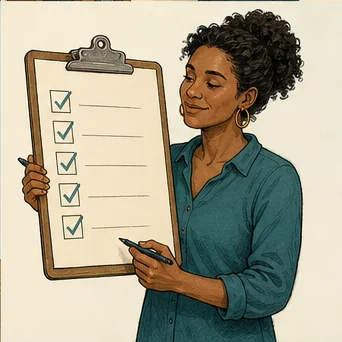
Follow the rule of least access. Only give out what the person truly needs. If they only need to see your trades, share a file instead. Do not give them your main terminal or email password. Every extra right you give is a new way for trouble to happen. It also increases the risk of breaking firm policy.
If the site has read-only access, test it yourself first. Make sure that mode really stops them from placing trades. Rules change and software has bugs. Do not trust a feature without testing it on a demo account. Always add an expiration date to any temporary access you grant. Remove the access as soon as the work is done. Keeping old access open is a major security mistake.
Say you hire someone to audit your work for one week. Instead of your main login, you give a temporary token. If that person gets hacked, your main account is still safe. The token was not a full-access key. This is much better than sharing your main login and hoping for safety. Proactive security means planning for problems instead of just hoping for the best.
Secure Devices and Connections
The device you use for your account is a very important security tool. Please keep your computers and mobile devices updated with the latest security fixes. Use a tough screen lock that people cannot guess. You should encrypt your files so that data stays private if the device is lost or stolen. Do not sign into your trading account on computers that belong to hotels or public libraries. These shared machines often use hidden programs to steal your login details.
You must know who controls the machine if you use remote tools or virtual servers. Always track how your sessions are logged. Do not pick a setup just because it is easy. If you do not own the machine, you cannot know who else sees your data. Keep a clear list of all devices that ever used your account. You must disconnect a device at once if you think it has a security problem.
Public networks without passwords are not safe for your financial accounts. Use a secure virtual private network if you need to trade while you travel. It is often safer to use your own cell phone hotspot instead of a public network. Every time you connect, you link your money to the internet. Please keep those links short and very safe.
Monitor Account Activity
You should watch your account closely to stop bad actions before they cause trouble. Check your login logs, past activity, and current orders all the time. Look at your dashboard every day to see if the numbers match your plan. You need to know right away if a trade appears that you did not start. Finding problems early helps you stop the damage before you break a rule.
Many trading sites send alerts for new orders or balance changes. Set these up for every account that you manage. Send these alerts to a device you check many times per day. An alert only works if you read it and do something about it. Adjust the settings if you get too many messages. Do not turn them off. You need a fast and clear way to hear about changes.
Imagine an outside service manages your trades. You might see new positions that do not fit your risk plan. If you check your account, you can pause the service before you lose a lot of money. You might not see a problem until the firm tells you about a rule break. Watching your own account is a duty you cannot ignore if you want to trade well.

Related guide for Prop Firm Passing Service Account Security Guide: A useful companion for this decision is Prop Firm Passing Service Due Diligence Checklist. Ask the operational questions before paying or sharing information: who is involved, what is permitted, how risk is controlled, and how access ends.
Plan Access Revocation
You should know how to end a partnership before it even starts. Create a plan to stop access the moment you end a relationship with a service or a helper. This plan should include changing your passwords and stopping all active sessions. Remove authorized devices from the site and change your API keys. Make sure no trades are open before you finish the process.
Act fast if you think someone stole your account access. Do not wait for the problem to go away on its own. Write down everything and take screenshots of the strange activity. These records help if you must talk to the support team about a rule break. Do not wait when your security is at risk. Every minute you lose makes the potential damage much worse.
Keep a list of official support contacts for your trading platforms. Use only these verified sources if you lose control of your account. Do not trust a third party who gives you a support link. They might lead you to a fake help desk meant to steal your data. A simple list helps you stay calm if a security crisis happens.
Review the Arrangement Regularly
Security is a task you must do over and over again. Your needs will change as you get new devices and the rules of the firm evolve. Check back often to see if your outside services are still needed. Make sure they only use the access you gave them at the start. It is a big warning sign if a provider asks for new, strange permissions.
Stop the setup immediately if a person becomes defensive when you ask for records. Do not work with them if they want you to ignore security steps. Refusing to be clear is a sign that they do not care about your account. Your main goal is to protect your money, not to stay in a convenient deal. Ask the firm for help if you feel unsure about how your account works.
Check your security settings as part of your weekly trading work. Spend 5 minutes every Friday to see who has access to your account. Look at which sessions are active and what changes happened to your account. This small act keeps you in control. You will know what is happening with your account at all times. This makes you safer from risks and more confident in your choices.
Analyze Platform Metadata and Audit Logs
Trading platforms track details about how you access your account. You should treat these logs as a key part of your security. Check them often to see if your login times match your own activity. If you see a login from a city you do not know, act fast. Treat this as a major security issue even if you see no new trades. These logs provide a clear record of who used your account.
Think about a case where you get a login from a country far away. This shows that your credentials might be in the wrong hands. Maybe your provider uses a risky server. If the activity does not look right, end all sessions right away. Also change your password at once. Do not think of these logs as just computer data.
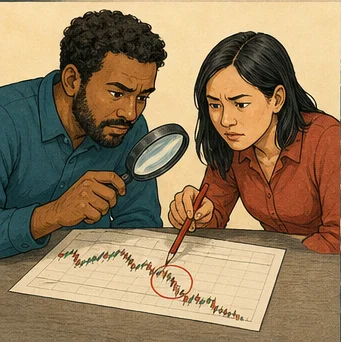
Platforms usually show your IP address, your device, and your browser type. Keep a simple list of your own normal connection details. Write down your home IP address and your main device code. This gives you a clear baseline for your account. When you check logs, any new entry is a clear red flag. Staying consistent makes it very easy to spot bad activity.
Audit logs to protect profile
Do not ignore these details even if your trading looks good. An attacker could use your account to test bad trading strategies. This might lead the firm to ban your user profile. The point of checking logs is to protect your account history. A good history is needed to pass firm tests and stay active long term.
If your firm does not show logs on the screen, ask them for data. Most firms keep this info to meet rules and will share it. If they refuse to share it, treat that as a big risk. You need to see your account history for a safe trading setup.

Segment Your Trading Digital Environment
Good security means you keep your trading tools away from your daily life. Do not use your trading computer for browsing social media or personal files. By using a separate space, you lower the chance of malware hits. You should at least create a separate user account on your system.
Imagine you get a bad file while you check your personal email. If you use the same machine for trading, that virus can steal your login details. Use a separate machine or a secure virtual space for your trades. This keeps the damage inside a small part of your system. Malware might hurt personal files, but it will not reach your trading platform.
Think about using a hardware security key for your trading account. This works much better than simple codes from an app. A real key must be plugged into your device to log in. Even if someone gets your password, they cannot enter without that key. This is a small cost for a huge gain in security.
Secure your browser and network
Focus on your browser setup as well. Use one browser that is only for your trading accounts. Remove any extra add-ons, as these are often ways for hackers to enter. Each add-on is a possible weak spot. Keep your setup small and clean. A basic browser is a strong tool for your safety.
Finally, keep your home network split into parts. Most routers let you set up a guest network for visitors. Keep your trading machine on a separate network from your home devices. Things like smart TVs have bad security and invite attackers in. Keeping your computer away from those devices adds a great layer of protection.
Manage External Data and API Feeds
Many traders use third-party tools to help with data or automation. These tools often use an API key to link to your account. This is a common weak point. When you make an API key, you open a back door to your account. Know exactly what power you give to each key. Do not give the tool more power than it needs.
Imagine you use a tool to track your profit targets. This tool might ask for broad access to your account details. If an attacker gets into that tool, they could steal your trade data. Check your settings often to make sure you only give read access. Delete old keys as soon as you stop using a tool.
Be careful with tools that ask for your main login password. This is a major warning sign. Good professional sites use secure systems like OAuth for tokens. If a service demands your master password, they do not follow standard rules. Never give your master password to any outside app. If a service forces this, find a new one.
Manage external API tool access
Make a list of every API tool you use. Write down the name, the date you made the key, and the access given. Check this list once a month. If you see a tool you do not use, delete it. This prevents forgotten access points from becoming big problems later on.
Always test new tools on a small scale first. If you must use automation, start with very few permissions. Watch how the tool acts for several days. Check the platform logs to confirm it only touches the data you expect. By being careful, you avoid rule breaks that come from bad setups.
Related guide for Prop Firm Passing Service Account Security Guide: For the next practical part of your preparation, continue with Is a Prop Firm Passing Service Legal? A Practical Guide to Compliance and Account Rules. A passing service is only useful when its process fits the prop firm's terms. This practical guide explains compliance, account access, risk controls, and the questions to ask before you start.
Guard Against Social Engineering Risks
Social engineering is a big danger for any trader. Attackers pretend to be firm support or fellow traders to earn your trust. They try to trick you into sharing passwords or changing your security. Keep a healthy doubt about any unsolicited advice. Do not trust help from people you meet in public chat rooms.
Think about a case where a stranger offers a script to boost your trades. They might ask you to run it to sync with their data. This script could hide a way for them to watch your activity. Never run code from an unknown person. Only trust contact methods from your official trading firm.
Be very careful when someone pressures you to act in a hurry. If a contact says your account is at risk and asks for a new password, stop. This is a classic trick. Real firm support will never ask for your password or give you a new one. If you feel pressure, disconnect and call the official team through their real site.
Defend against social engineering risks
Keep your personal info private so you avoid identity theft. Attackers use social media details to guess your security questions. Keep your trading life to yourself. Do not post account numbers or firm names in public places. The less an attacker knows about you, the harder it is for them to trick you.
Create a rule to verify all requests. If a support person emails you, check their address against the official firm domain. Do not click links in emails; go to the firm site yourself. If a request feels odd, treat it as an attack until you prove it is real through several ways.
Identifying Automated Bot Risks
Trading bots and automation scripts are common in modern prop firm environments. You might use these to execute strategies or manage position sizing. However, automated systems introduce deep technical vulnerabilities. A bot that lacks proper security updates is an open door for intruders. Even minor coding flaws can expose your account to unwanted trade execution.
Consider a hypothetical case where a trader installs a 3rd-party risk management bot on a desktop machine. The bot saves the login credentials in an unencrypted plain text file within the installation folder. If a separate piece of malware infects the machine, the intruder scans for these specific files and harvests the credentials instantly. This simple oversight bypasses all your MFA defenses because the bot handles the auth process directly.
Always review the source code of any script before you run it on your live account. If you cannot read the code, find someone with technical skills to audit it for you. Look for hardcoded URLs or unusual outgoing network calls. These behaviors often suggest that a bot sends your sensitive data to an external server. You must understand exactly how a script talks to the market servers.
Isolate bots and secure keys
Run automation on a separate, dedicated virtual machine rather than your personal computer. This physical or virtual separation ensures that a bot crash or a security hole does not impact your primary system. Keep your bot machine disconnected from non-trading software. This strategy reduces the attack surface significantly and prevents cross-contamination of your data.
Establish a routine to rotate your API keys used by bots every 30 days. This practice minimizes the window of opportunity for an attacker if a key leaks. You should also check your bot logs once a week to ensure no unexpected connection attempts appear. If you see traffic from an unknown IP address, terminate the bot connection immediately.
Managing the Human Element in Partnerships
Collaborating with mentors or signal providers involves more than technical risks. The human element creates unique challenges for account safety. You might feel social pressure to share login details for the sake of efficiency. Never allow this social pressure to override your firm security protocols. A partner who demands direct account control is a high-risk entity.
Suppose you hire a consultant to analyze your trading performance. You decide to grant them access to your trading history reports. You create a custom report link that allows read-only access for a fixed duration of 14 days. This setup permits them to do their job without needing your master login or MFA codes. You maintain full separation of duties throughout the entire engagement.
Verify the identity of anyone who asks for access via multiple channels. If someone asks for help via a messaging app, call them on a known, verified number. Ask them questions about your previous agreements to confirm they are who they claim to be. Impersonation is a common method for gathering private details. A legitimate partner will understand your strict verification requirements.
Define professional security boundaries
Define clear boundaries in your working relationship early on. State in writing that you will never provide passwords or MFA tokens under any circumstances. If they claim they need these for a task, look for an alternative technical solution. If no alternative exists, accept that the task might not be possible while maintaining security. This refusal is a necessary step to protect your status with the firm.
Periodically review the access logs to confirm that only the authorized partner is using the granted permissions. If you notice unusual activity that deviates from their stated work, address it immediately. Do not ignore these events in hopes that they will stop. Professional relationships must exist within a framework of mutual respect for security rules.
Securing Data at Rest and in Transit
Data security is not just about logging in. It includes how you save your trading history and notes. You might keep journals or screenshots of trade setups to improve your performance. If these files live on an unencrypted drive, they become a source of information for attackers. Always encrypt your storage drives to prevent data theft if a device is stolen.
Imagine a trader who keeps a spreadsheet of account balances on a cloud storage account. The account uses a weak password and no MFA. A hacker breaches the cloud service and finds the spreadsheet. This gives the attacker a list of your prop firm accounts and your trading patterns. This information helps them craft a targeted phishing attack against your specific firm.
Use local, encrypted backups for your most sensitive trading documents. Avoid keeping sensitive records in public cloud services unless you apply extra encryption before uploading them. Use a file encryption tool to lock your files so that even if the storage service is hacked, your files remain unreadable. This extra layer of protection keeps your trading history private.
Maintain strict data management discipline
When transferring data between devices, use secure, encrypted channels. Do not send trade reports over unencrypted email or public messaging platforms. Use a secure file transfer service that requires a password for the recipient to download the file. This ensures that only the intended person sees your sensitive data. Encryption at every step is the mark of a pro.
Clean up old data that you no longer need. Delete temporary trade reports or screenshots that you used for training. Keeping old data makes it harder to manage what is sensitive and what is not. A smaller, well-managed data set is much easier to protect than a huge, unorganized library of old files. Discipline in your data management is a key part of your total security.
Implementing a Disaster Recovery Plan
A disaster recovery plan defines your actions during a security crisis. You cannot predict every possible hack, but you can plan your response. Start by documenting the exact steps to secure your account after a breach. This includes changing all credentials and contacting the firm support immediately. A prepared response minimizes the time an attacker spends in your account.
Think of a hypothetical scenario where you notice an unrecognized IP login on your dashboard. You immediately trigger your response plan. You revoke all active API keys, change your primary password, and reset your MFA app. You then send a message to the firm support team with the timestamp and IP address of the breach. Because you had a list of steps ready, you finished this in 5 minutes.
Test your recovery plan on a regular basis. Spend an hour once every six months to simulate a breach. Practice changing your passwords and revoking session tokens. This helps you confirm that you know how to perform these tasks under stress. If you find a setting that is hard to change or a link that does not work, fix it now.
Plan for emergency account recovery
Create an emergency contact sheet for your trading accounts. Include the support email, the phone number for account lockouts, and any emergency portal links. Store this on a physical piece of paper in a secure place. If your computer is part of the crisis, you will still have the contact info you need to fix the issue. Digital records are not enough.
Reflect on the damage after you resolve a security incident. Ask yourself how the breach happened and what you can do to prevent it. Did you leave a session open? Did you use a weak password? Update your habits to close these gaps. A successful recovery is only complete when you have improved your security posture to prevent a repeat of the event.
Final Takeaway
The safest account is one where the owner can explain every single login, permission, trade, and recovery method at any given moment. Security controls are there to support your visibility, not to outsource your responsibility for the account. You remain the final authority on what happens to your trading performance and your standing with the proprietary firm.
Never trade your credentials or your firm compliance for a promised shortcut. These shortcuts are almost always temporary and lead to permanent account loss. If you find that the permitted access model is unclear or you are being pushed to take risks with your account security, retain control and pause the arrangement. Your long-term success as a trader relies on your ability to protect the account you have built.